Select a word
Highlight a spelling mistake or any word you want to practice.
 Correcto
A Chrome extension for spelling practice
Correcto turns selected words and spelling mistakes into small fill-in-the-blank practice moments, right where you write.
Try it here
How it works
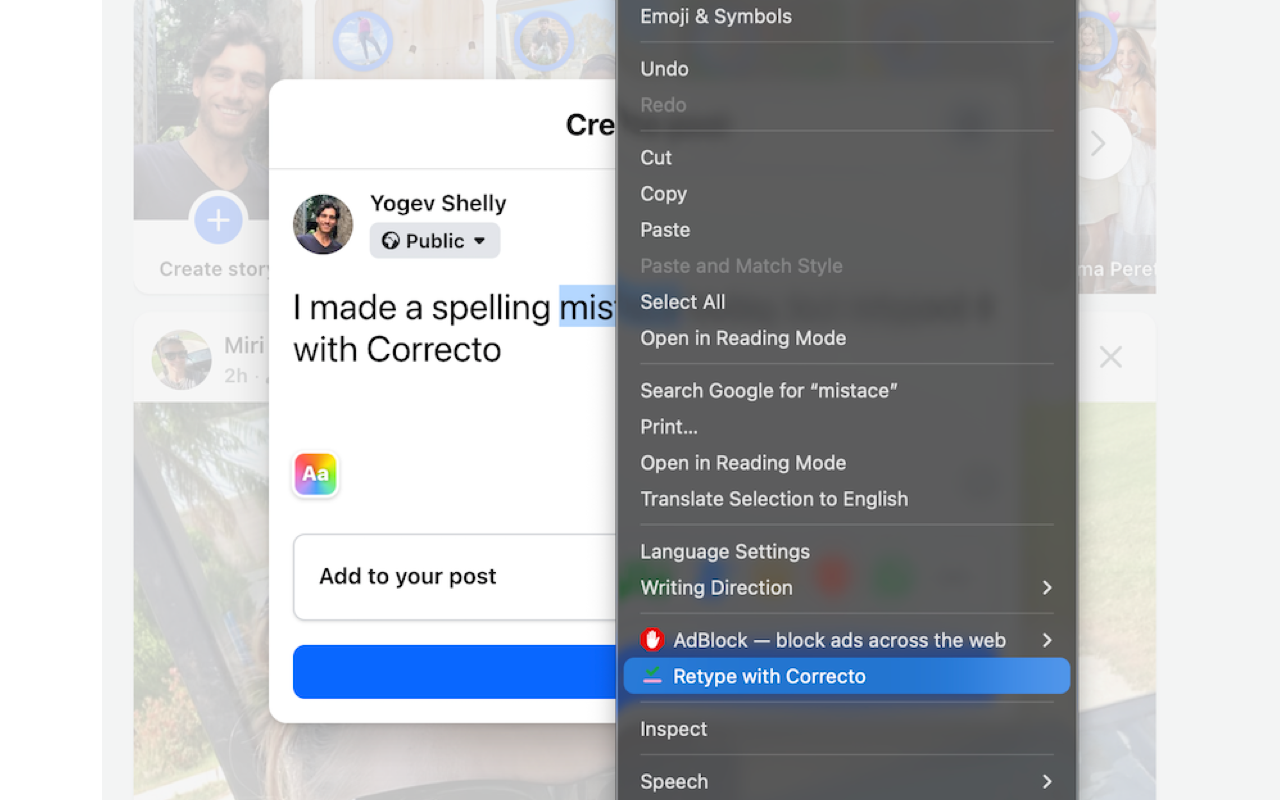
Highlight a spelling mistake or any word you want to practice.
Use the context menu item, "Retype with Correcto".
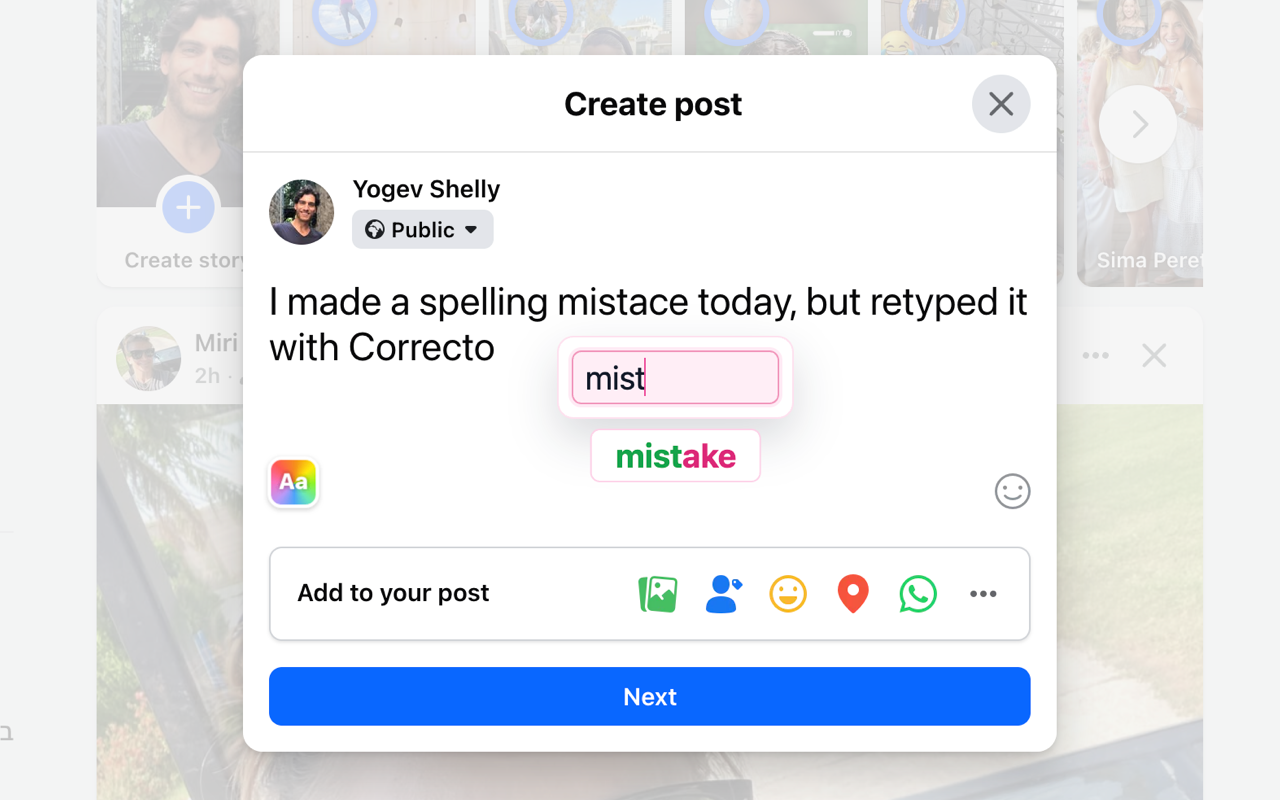
Correcto shows the answer and replaces the word after you type it correctly.
Demo
Coming to the Chrome Web Store
The Chrome Web Store listing is in review. This button will point to the live extension page as soon as approval lands.
Privacy-first by design
Correcto processes selected text locally in your browser to show the practice UI. Custom corrections are saved using Chrome extension storage.